
Real Estate Intelligence.Built for Agents.
One connected workspace to discover properties, share opportunities, understand the market, reach clients and follow each of your deals, from registered to paid, in your own pipeline.
For agencies and freelance agents in Bangkok, by invitation: send a short request and we reply personally. Already a member? Log in (opens the NIVAS app)


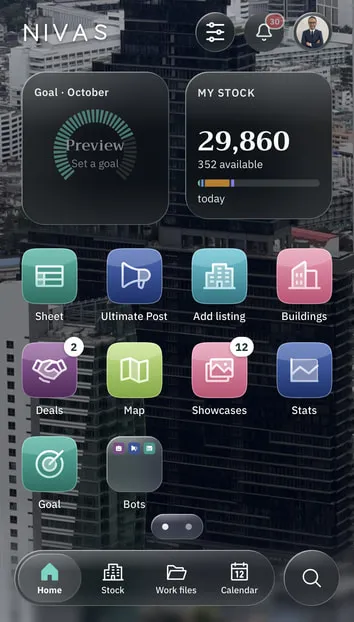
Five connected parts of one agent’s business.
Each part works on the same listings, buildings and clients, so the work moves from discovering a property to a paid deal in one place. For agencies and freelance agents in Bangkok.
From property discovery to a paid deal
01 · Property Network
Bring in and share your stock
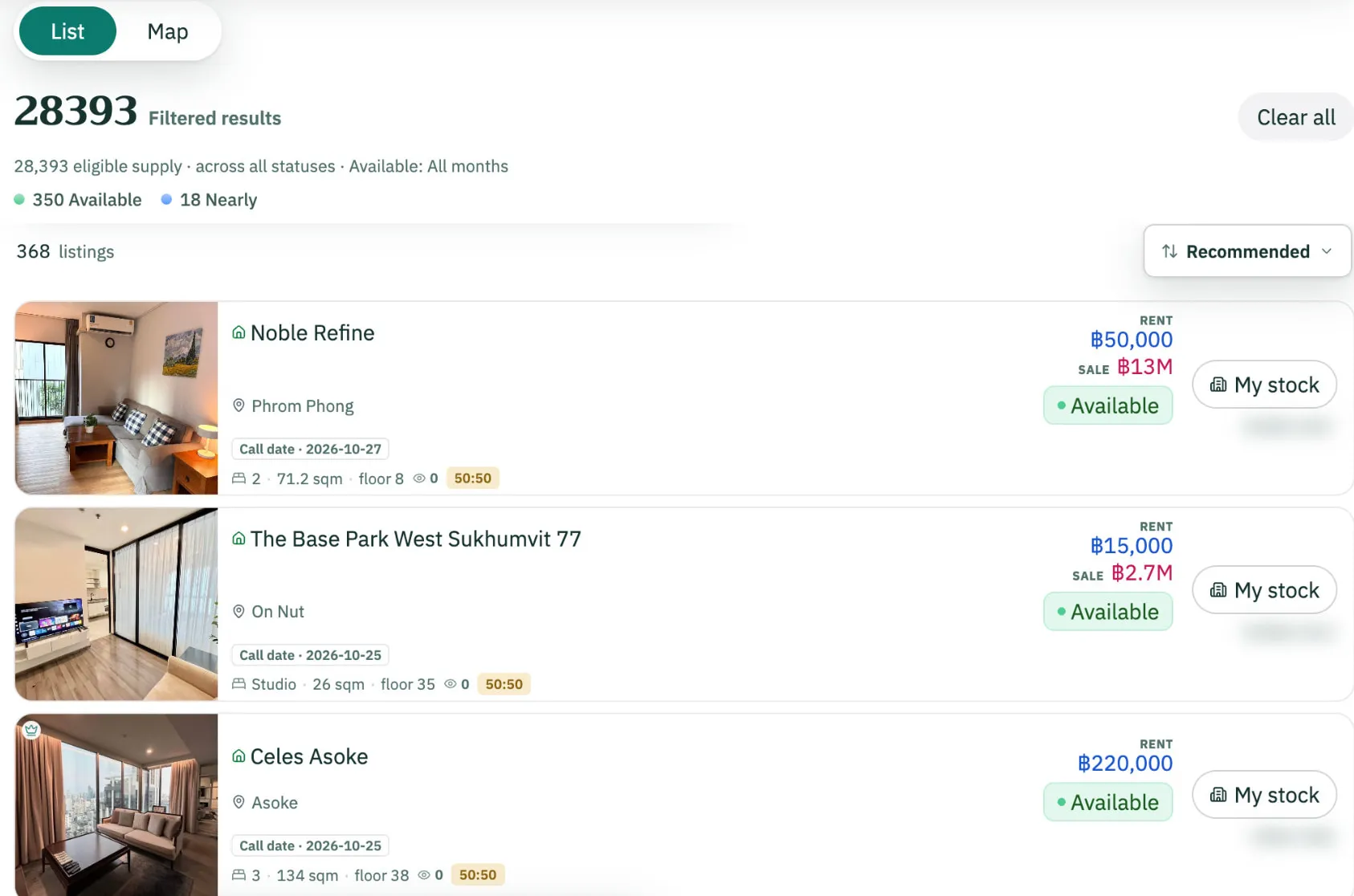
Add or import your listings into your own stock, then share all or part of it in the common pool, where every member’s shared listings meet. Co-broke with other agencies.
- Add listing
- Bulk import
- My stock
- Common pool
- Co-broke
02 · Market Intelligence
Understand the market
Search what the network shares, read each building, see where an asking price stands, then explore Bangkok on the Map.
- Search
- Buildings
- Bot Analysis Rolling out: Live with the founding agency today, opening to invited users.
- Map
- Bangkok index
03 · Distribution & Visibility
Reach clients
Select your own listings in the Sheet, prepare the campaign, post with the NIVAS Bot from your own computer, present on your own page and card.
- The Sheet
- Ultimate Post Pilot: Live with the founding agency and invited testers. Not self-service yet.
- NIVAS Bot
- Showcase page
- My card
04 · Client & Deal Management
Close the deal
A work file for each client need, viewings in your Calendar and your own deal pipeline, from registered to paid.
- Work files
- Calendar
- Deals
05 · Agency Operations
Under all four: your team
Invitations and seats, the agency’s sharing default, its oversight of held listings and campaigns, and what stays private to each agent.
- Seats
- Sharing default
- Team oversight
- Posting accounts Pilot: Live with the founding agency and invited testers. Not self-service yet.
What the labels mean
- Pilot: Live with the founding agency and invited testers. Not self-service yet.
- Rolling out: Live with the founding agency today, opening to invited users.
NIVAS is invitation only: each agency or group receives its own code. Ask with the short form; we reply personally.
One connected network of properties.
Your stock is yours: bring your listings in one by one or as a whole file, and share all of it or only part of it. Every member’s shared listings form one common pool that everyone searches, so each agency that imports and each agent who adds listings grows what the whole network finds. Other agencies can request a co-broke on what you share.
- listings imported
- nearly30,000listings imported
Every listing members have brought into their own stock, one by one or by file, across NIVAS; each member’s Sheet holds only their own. Count from the NIVAS database, 30 October 2026.
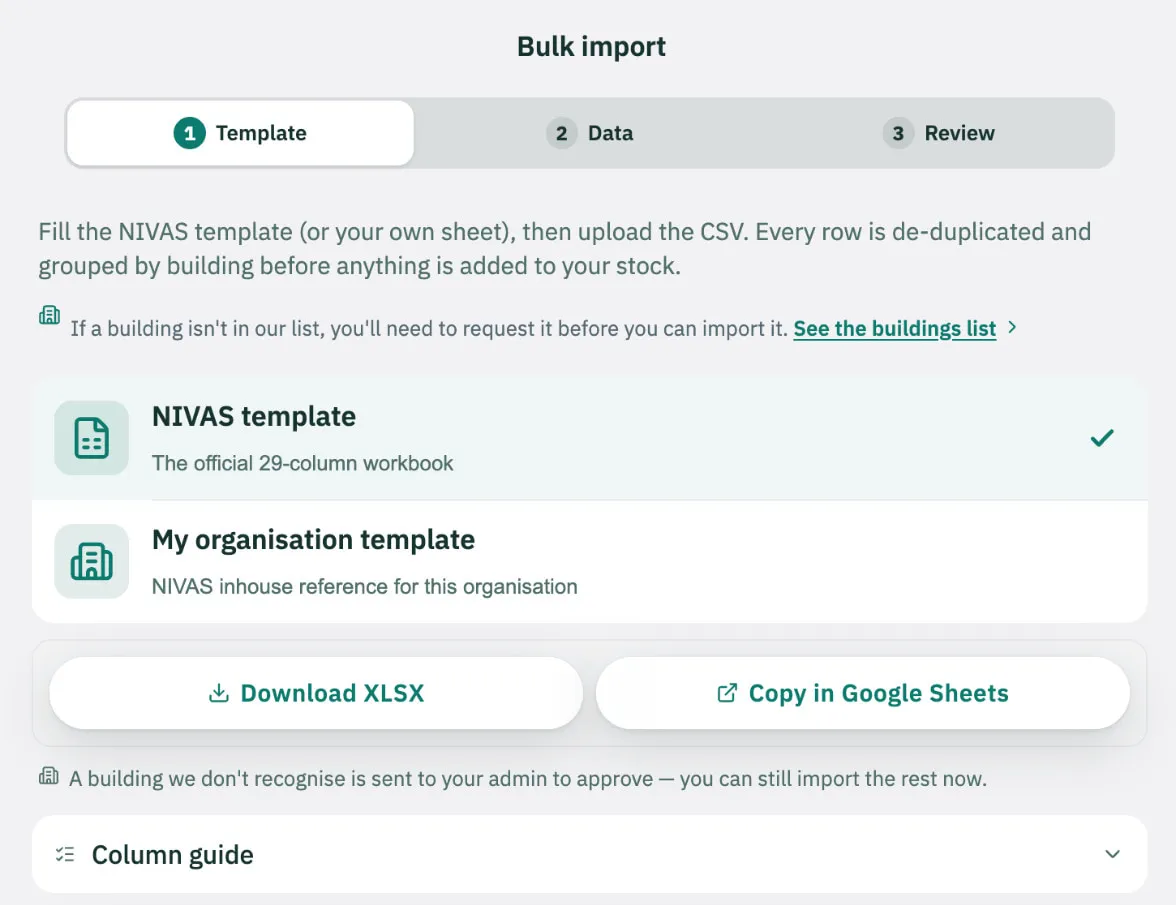
- 1Your stock inBulk import
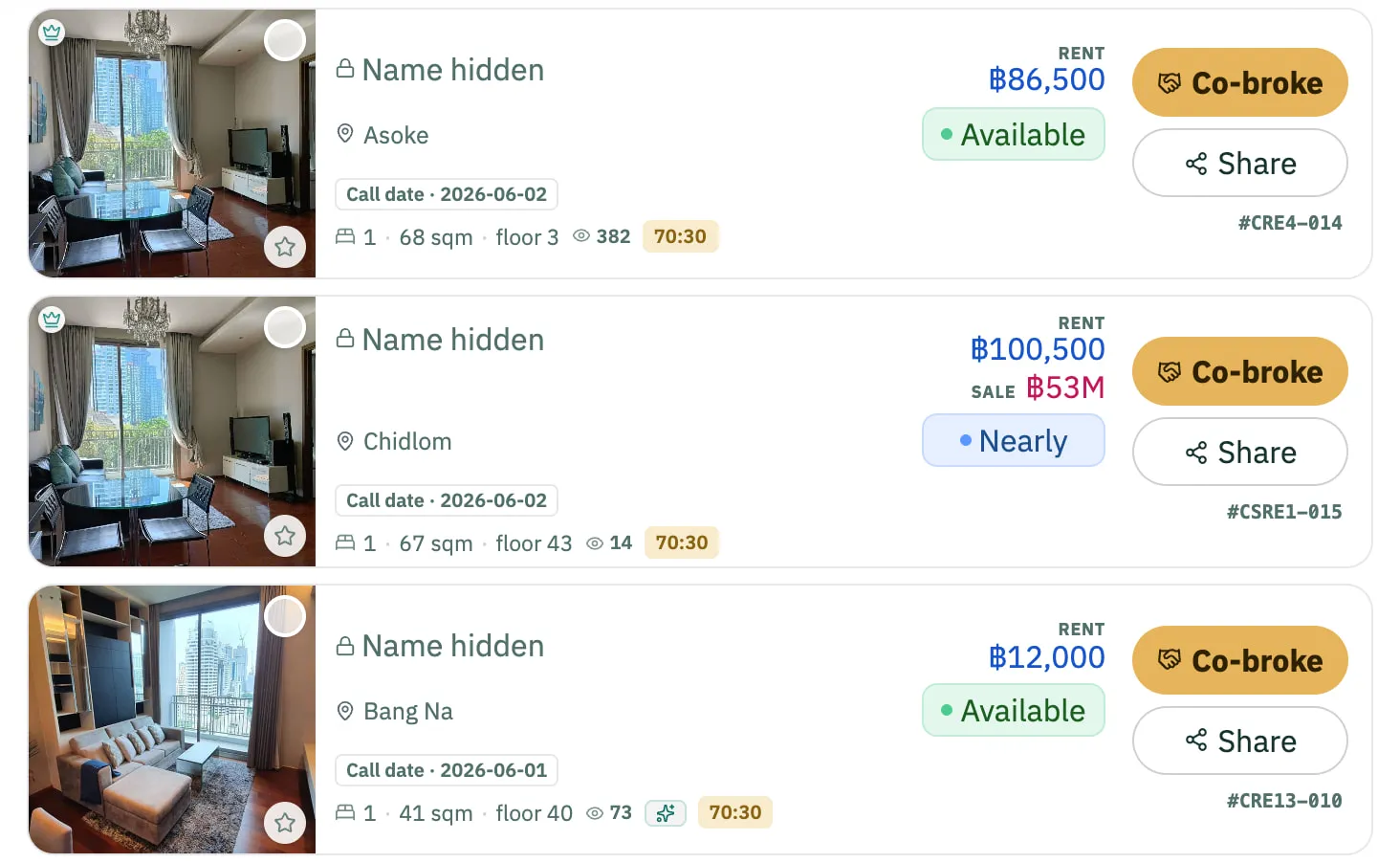
- 2The common poolWhat another agency sees
- 3A co-brokeCo-broke requests
Bring your stock in
Add or import
Add listing on one page, or Bulk import a CSV or XLSX file from the NIVAS template, a Google Sheets link or pasted rows. Your listings land in My stock, in your own Sheet.
Organised by building
Every listing belongs to its building. Imported rows are grouped by building first; a building the app does not recognise is reviewed before it is added.
Possible copies, held for review
NIVAS checks every listing you add or import against the same building and unit, in your own stock and in the shared pool. A possible copy is never deleted: it is held “To review” with the ID of the listing it may duplicate, so your team decides.
Share it, and co-broke
Shared, or private
Share all of your stock or only part of it: each listing is shared in the pool by default, and any listing can be switched to Private. The agency sets its default for new listings.
Fresh, and dated
Every listing shows when it was last checked with the owner, how many days ago, and its room status.
Co-broke, on your terms
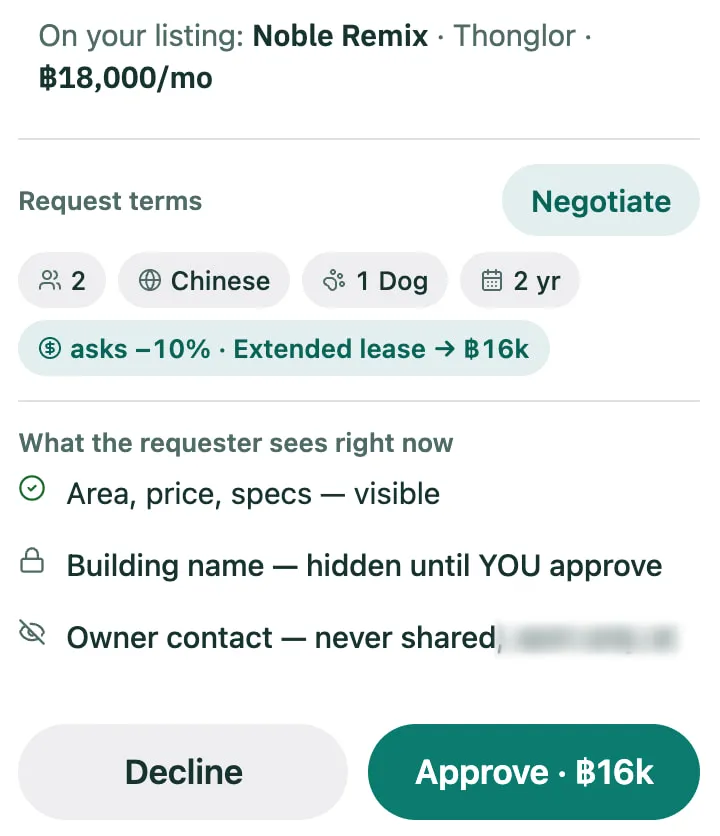
Other agents request a co-broke with its terms; you Negotiate, Decline or Approve. Approval reveals the building, the unit and the two agents’ contacts. The owner’s contact is never shared through NIVAS.
Understand the market before making a move.
Search the network, read each building and see where an asking price stands. The Map adds one more way in: Bangkok, explored zone by zone.
Asking prices, never transaction prices.
1Property search
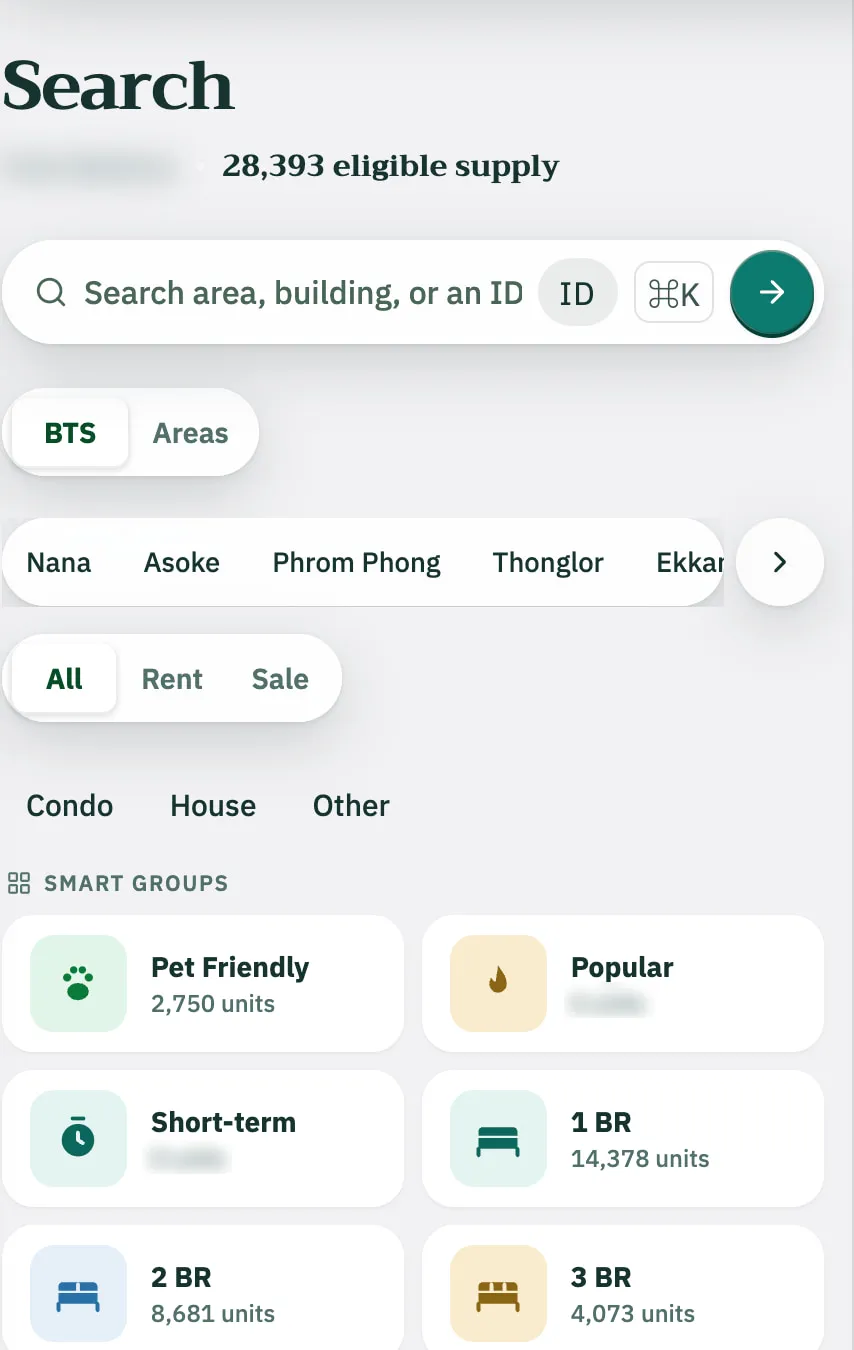
One search across the common pool: the founding agency’s listings and every listing members choose to share, yours included, each with its call date. Quick search with Smart groups, BTS or Areas chips and rent and size histograms; or More filters: type, price, segment, bedrooms, pets, short-term.
2Building intelligence
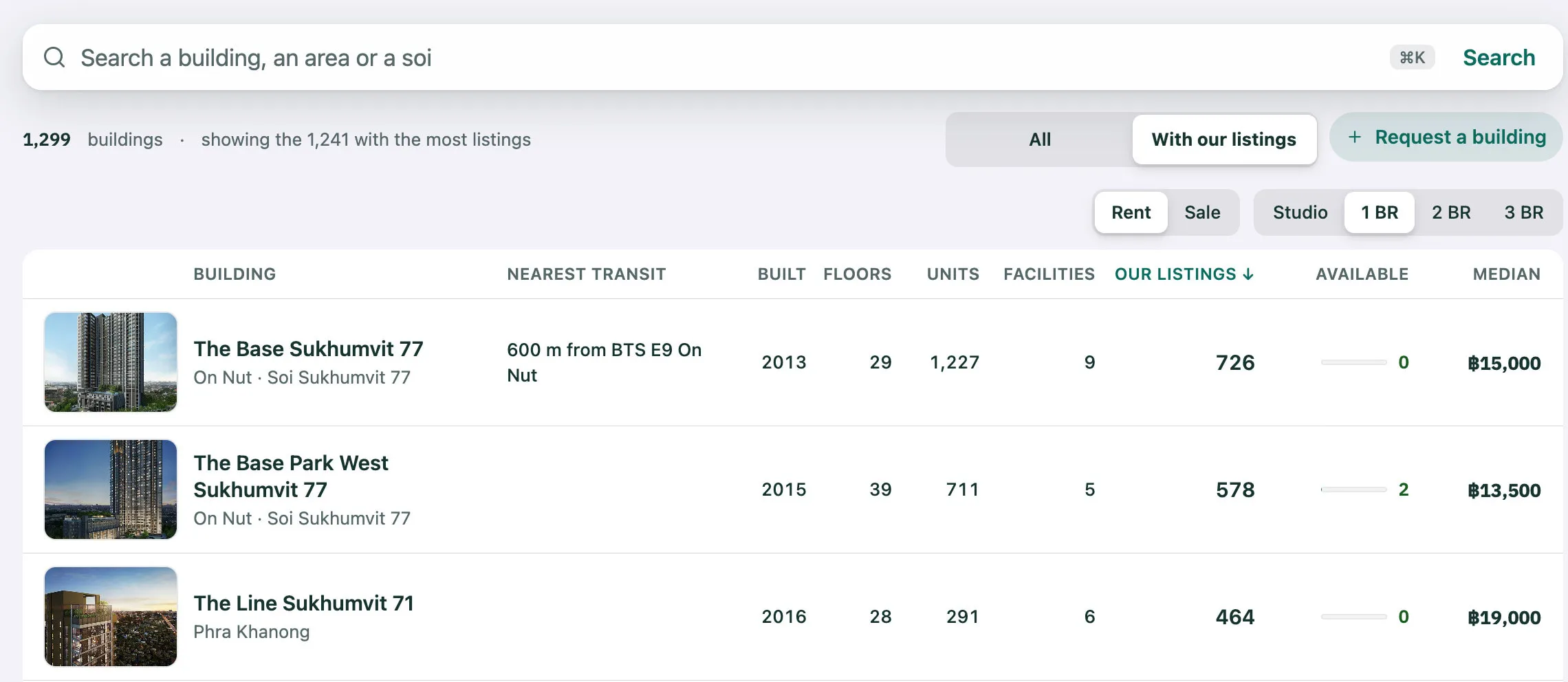
The buildings list, each building with its page: year built, floors, units, developer, nearest transit, and a median asking price by rent or sale and bedrooms.
3Asking-price analysis and comparison Rolling out: Live with the founding agency today, opening to invited users.
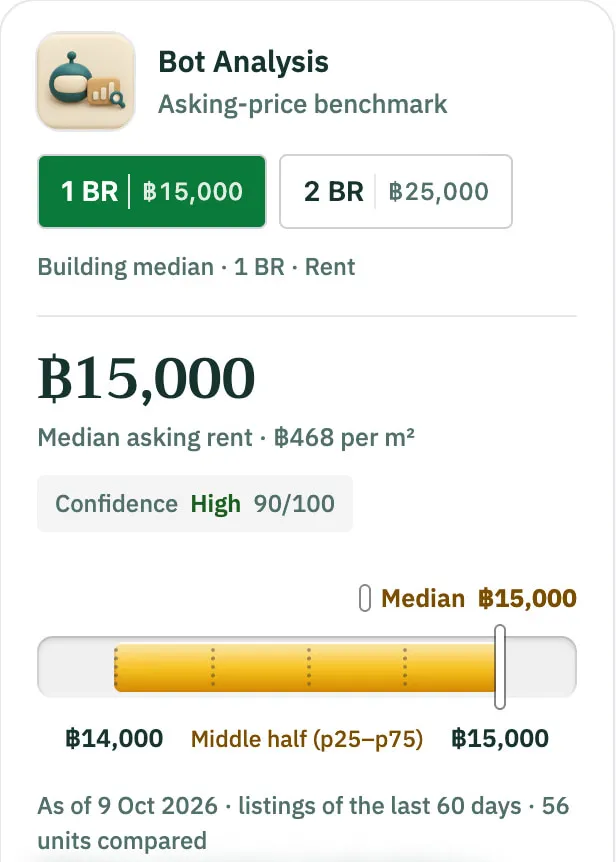
Bot Analysis shows where one asking price sits against the median and the middle half of comparable asking prices, with a confidence level. The Bot Analysis engine reads public asking prices on a regular schedule, ahead of any request, so building analyses draw on recent listings.
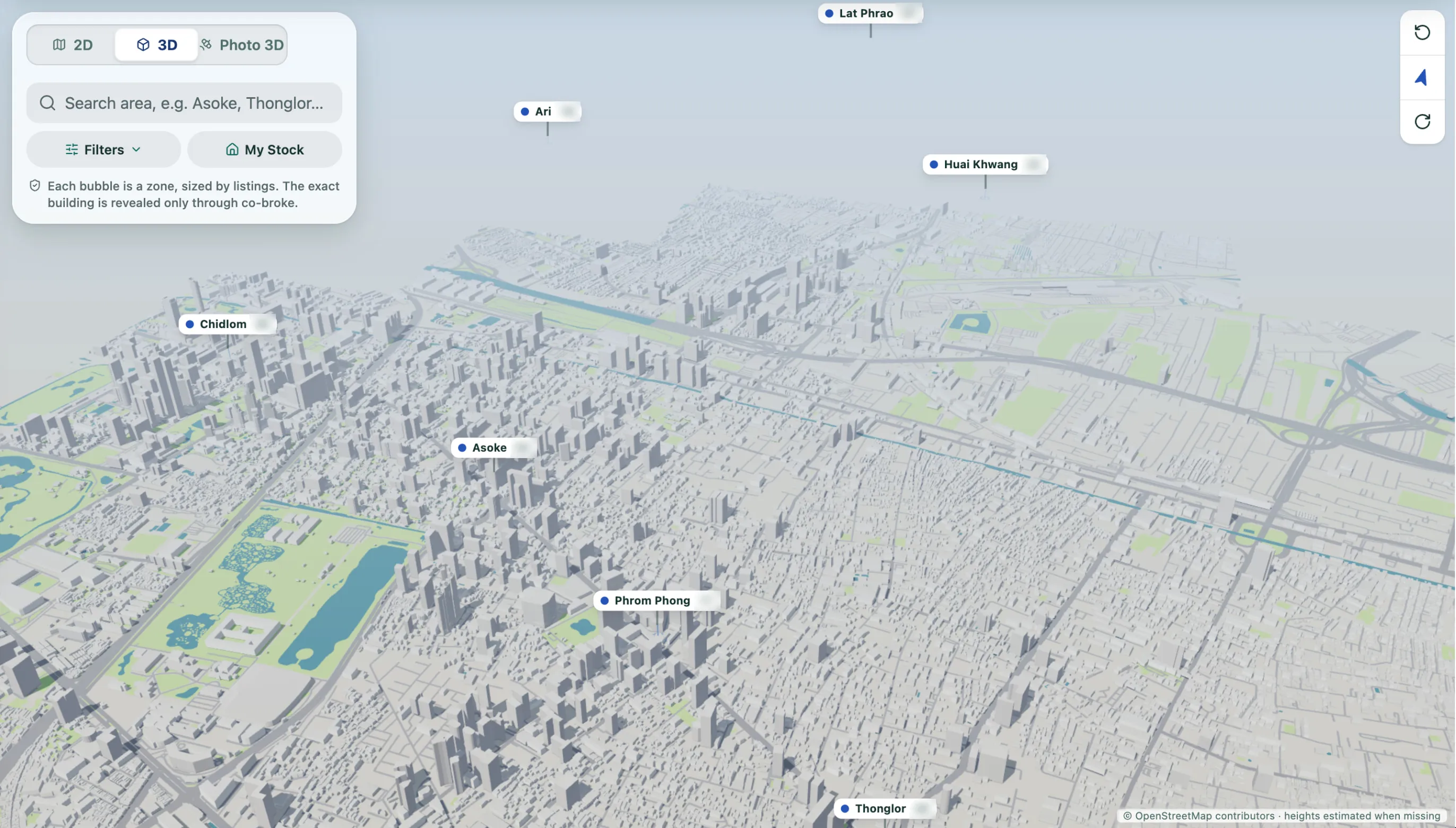
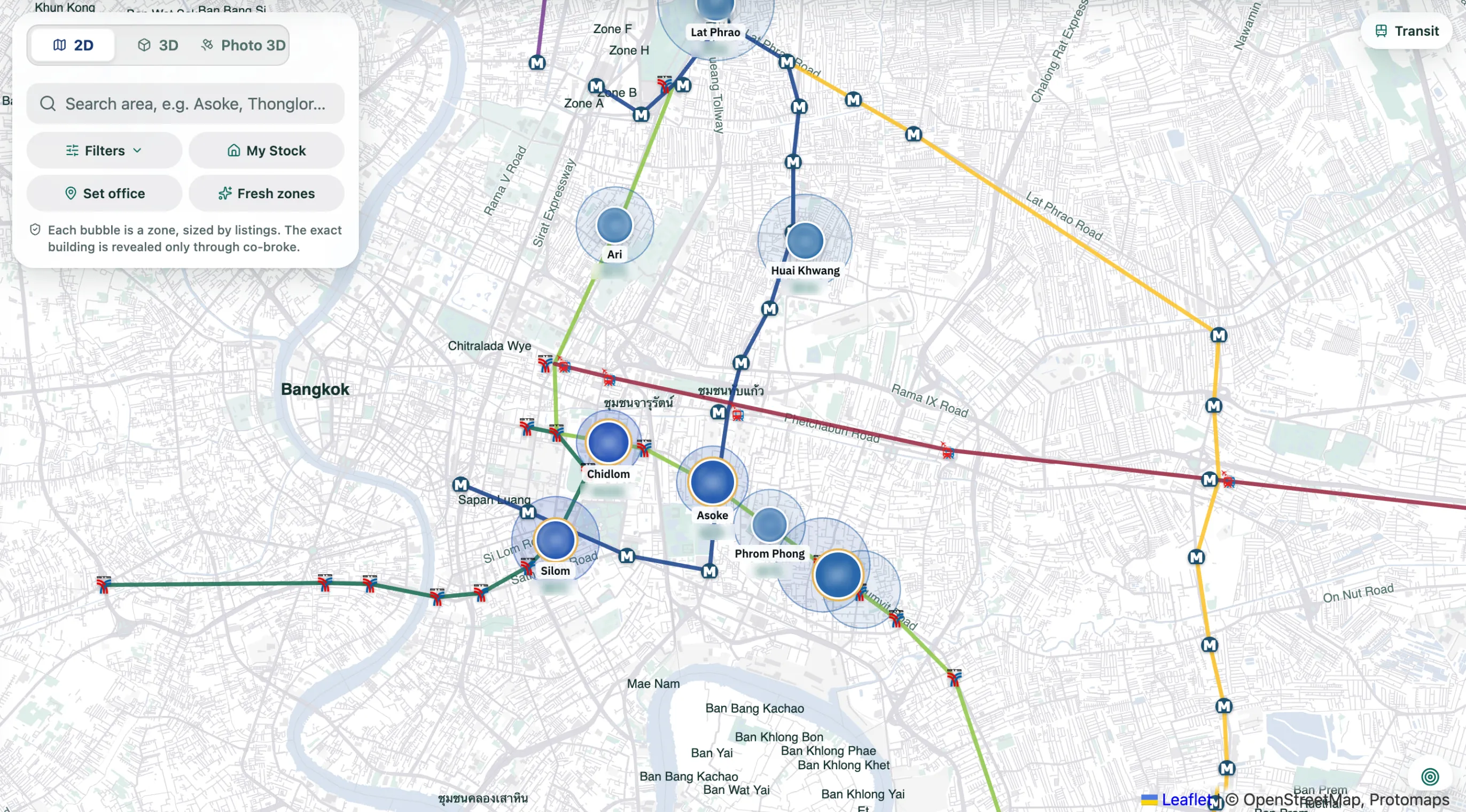
4Geographic exploration
The Map shows Bangkok in three views, 2D, 3D and Photo 3D: zones sized by listings, Filters and your own listings as pins. In 2D, transit lines, Fresh zones and distances from a client’s office.
See the MapFrom your stock to your next client.
Ultimate Post posts the listings of your own stock. Add or import them first: they land in My stock, where your Sheet is. Select them there, prepare the campaign in Ultimate Post, let the NIVAS Bot post it from your own computer with your own Facebook account, then present your listings to clients on your own page and card.
Ultimate Post Pilot: Live with the founding agency and invited testers. Not self-service yet.
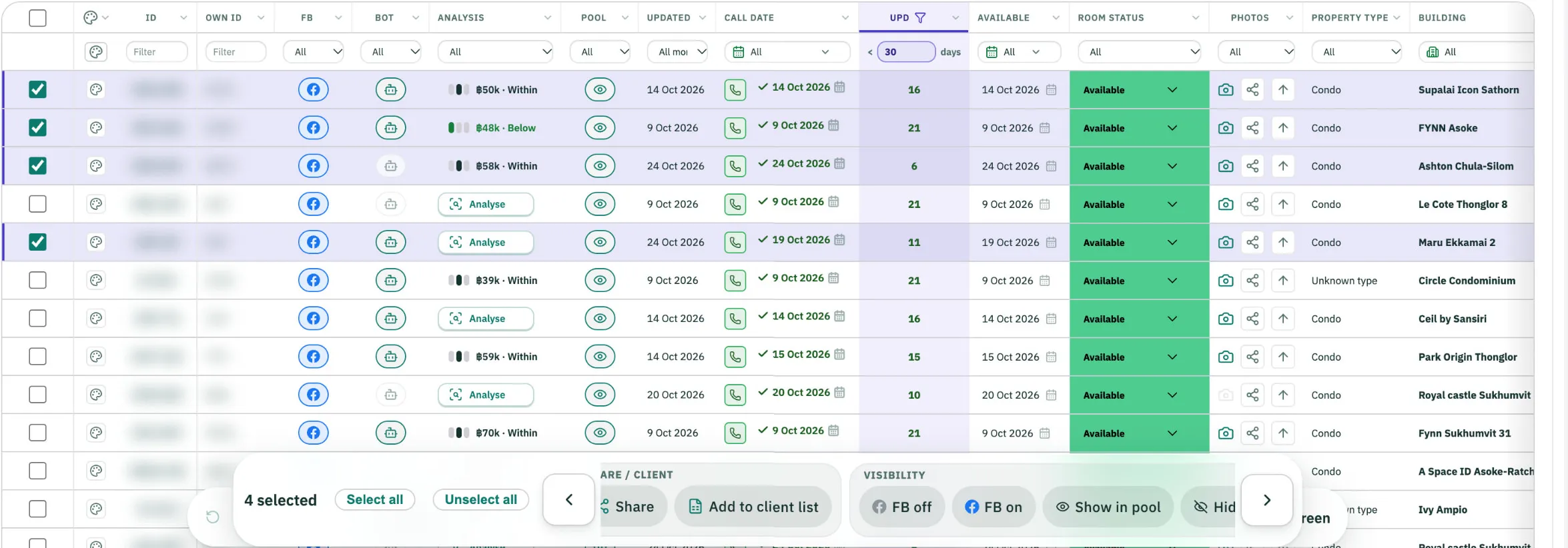
1Select
In My stock › Sheet, tap the Bot button on a listing’s row: it goes to Ultimate Post’s Bot tab. Tap again to take it out.
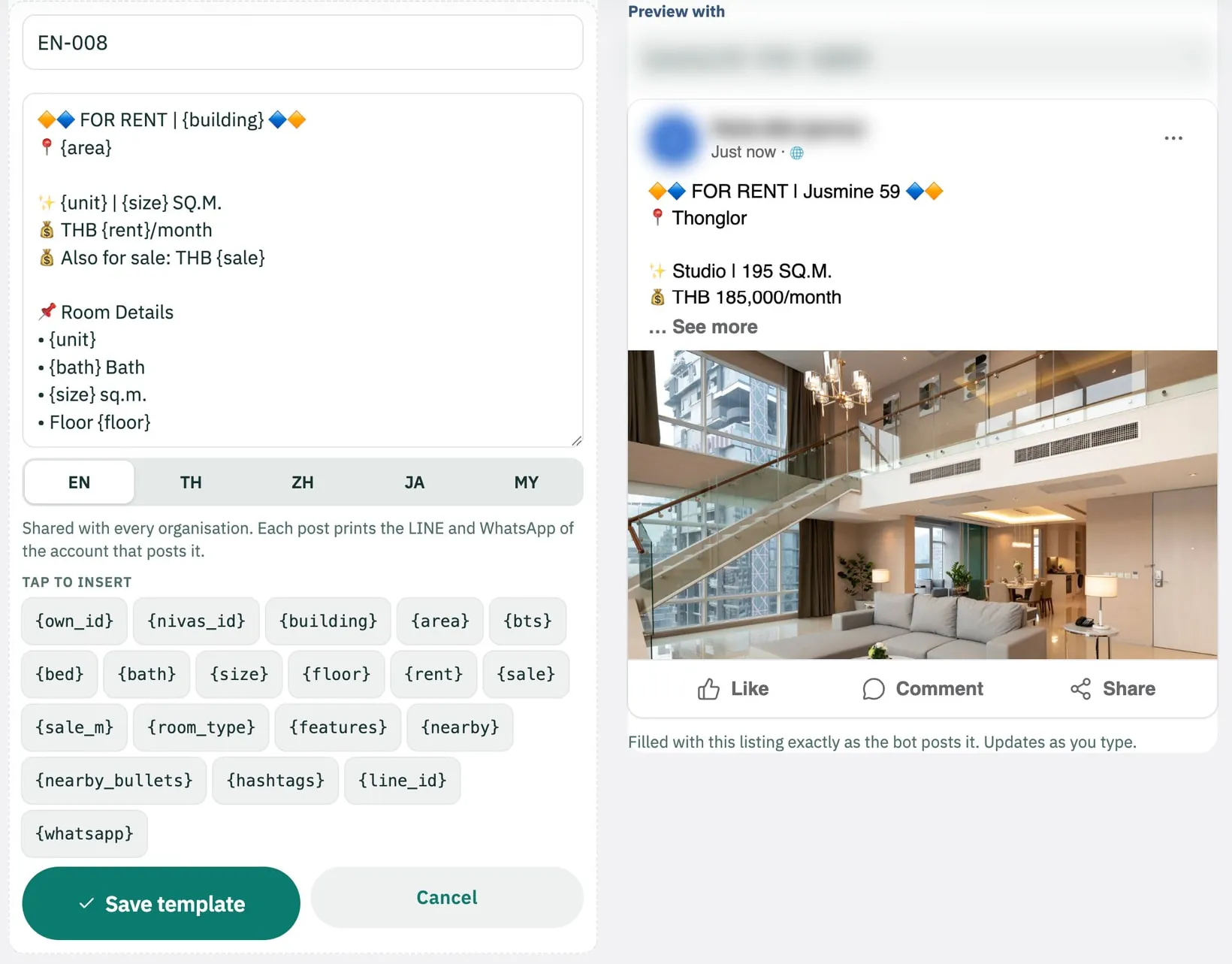
2Prepare
In Ultimate Post, the Bot tab lists those listings. Choose the account, the Facebook groups and a template, with a live Facebook preview.
3Distribute
The NIVAS Bot, a small app on your own computer, posts with your own Facebook account. Nothing posts from a NIVAS server.
4Present
Send clients your own showcase page and your digital card as links. Both carry your name, never NIVAS.
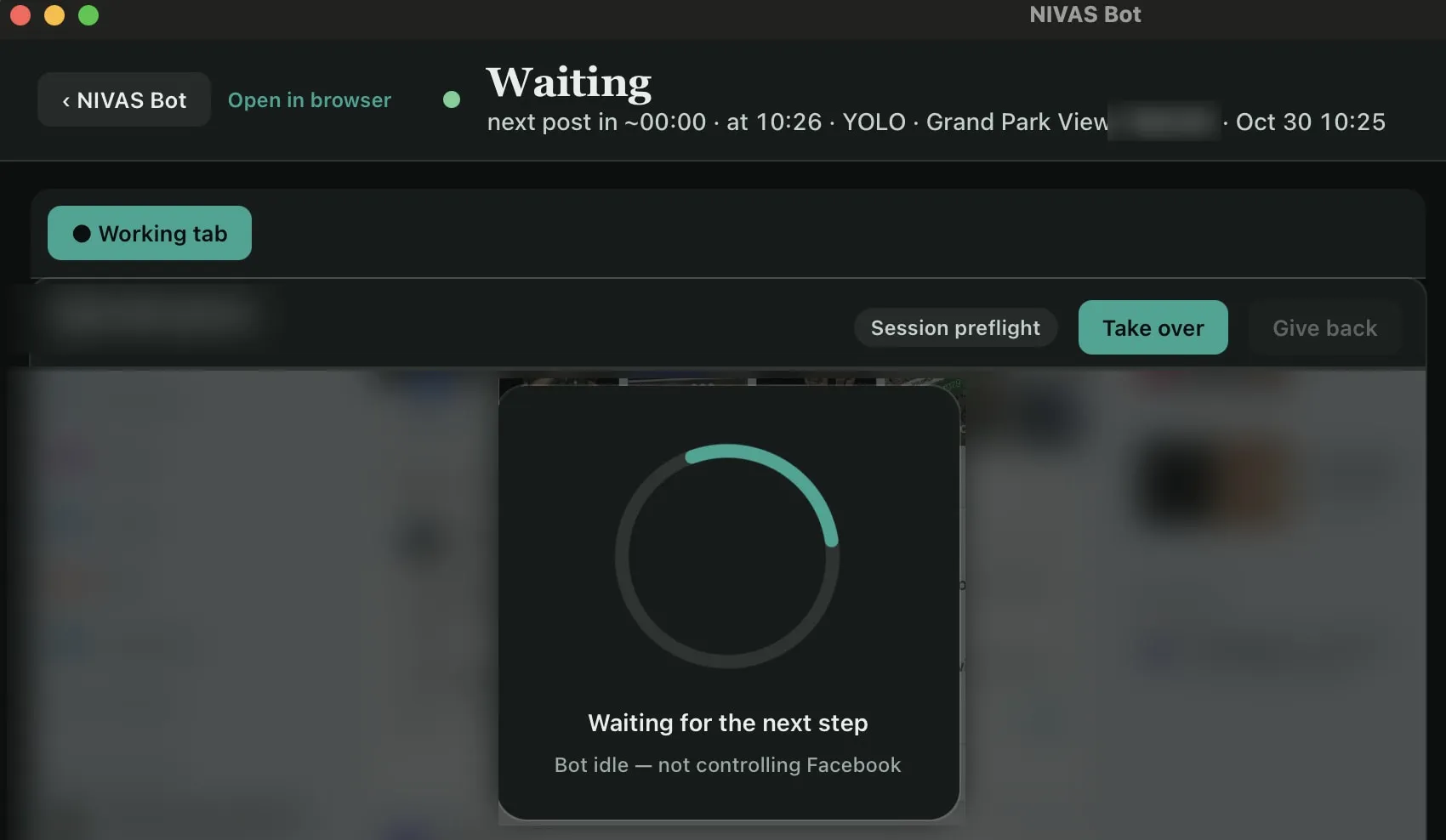
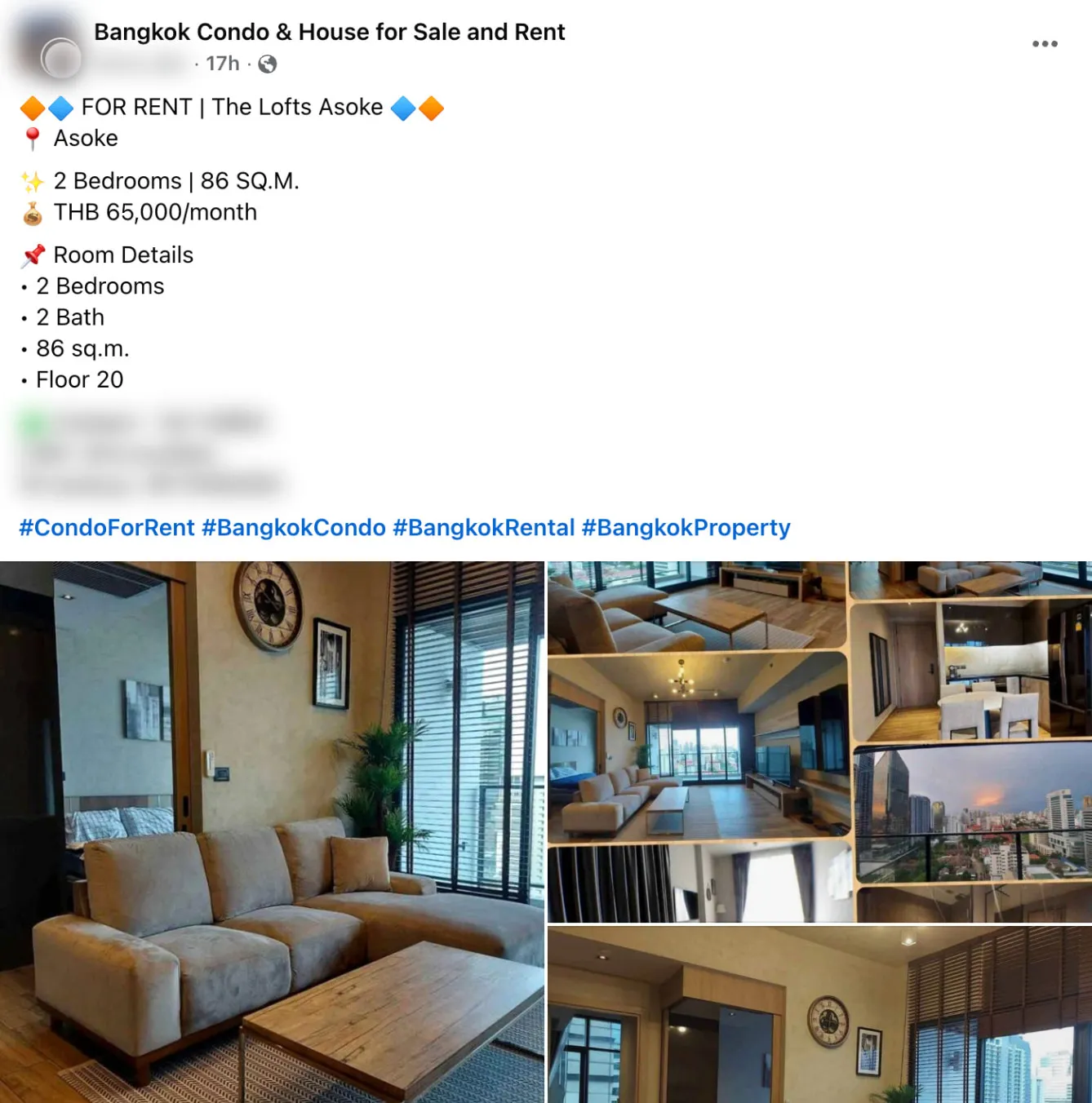
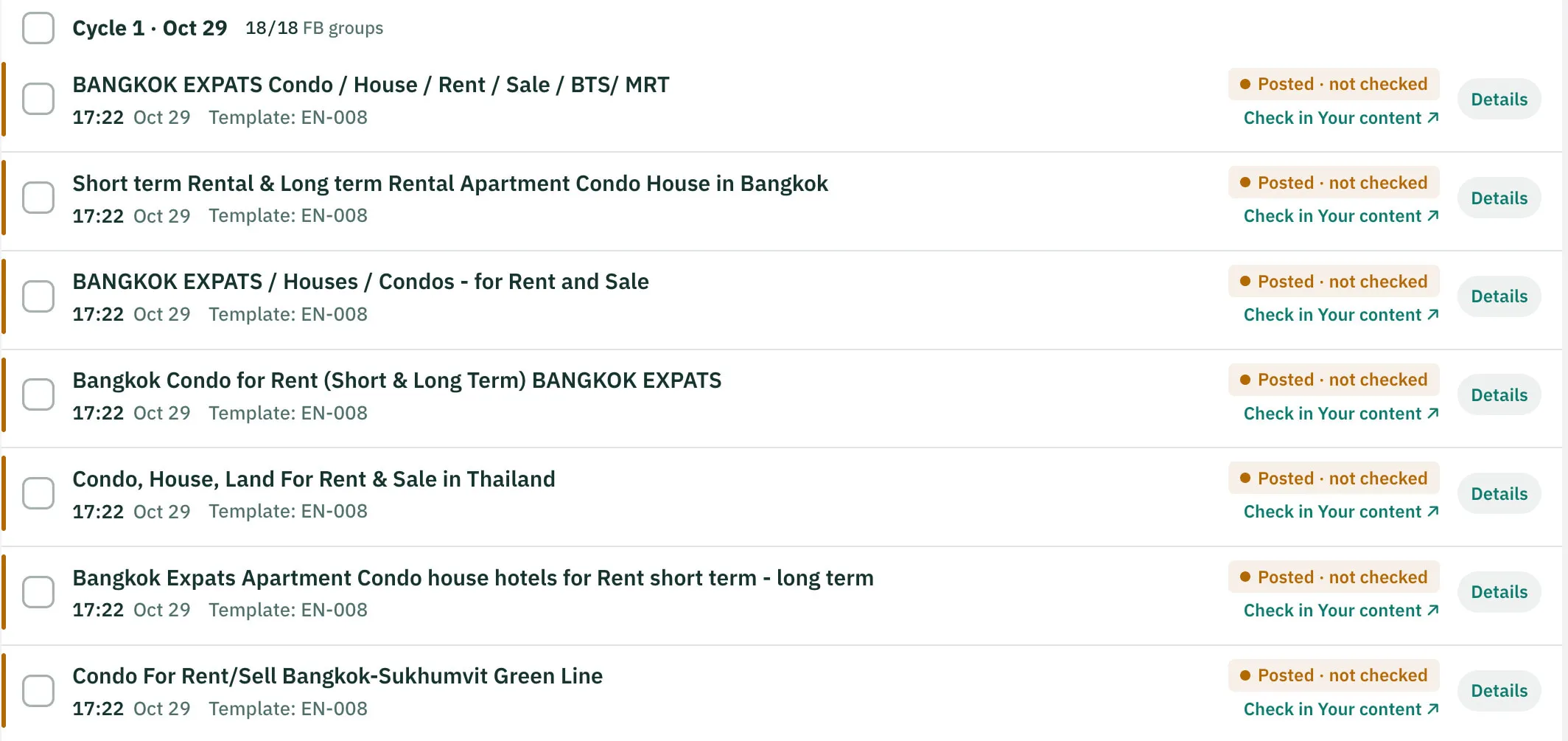
History Pilot: Live with the founding agency and invited testers. Not self-service yet.
Every post is listed per group as “Posted · not checked”, with a link to open it in Your content. NIVAS does not check posts for you.
more than 150 posts / 10 minA figure published by NIVAS for ULTRA mode.
Invited members receive the NIVAS Bot for Mac or Windows. Read how it works
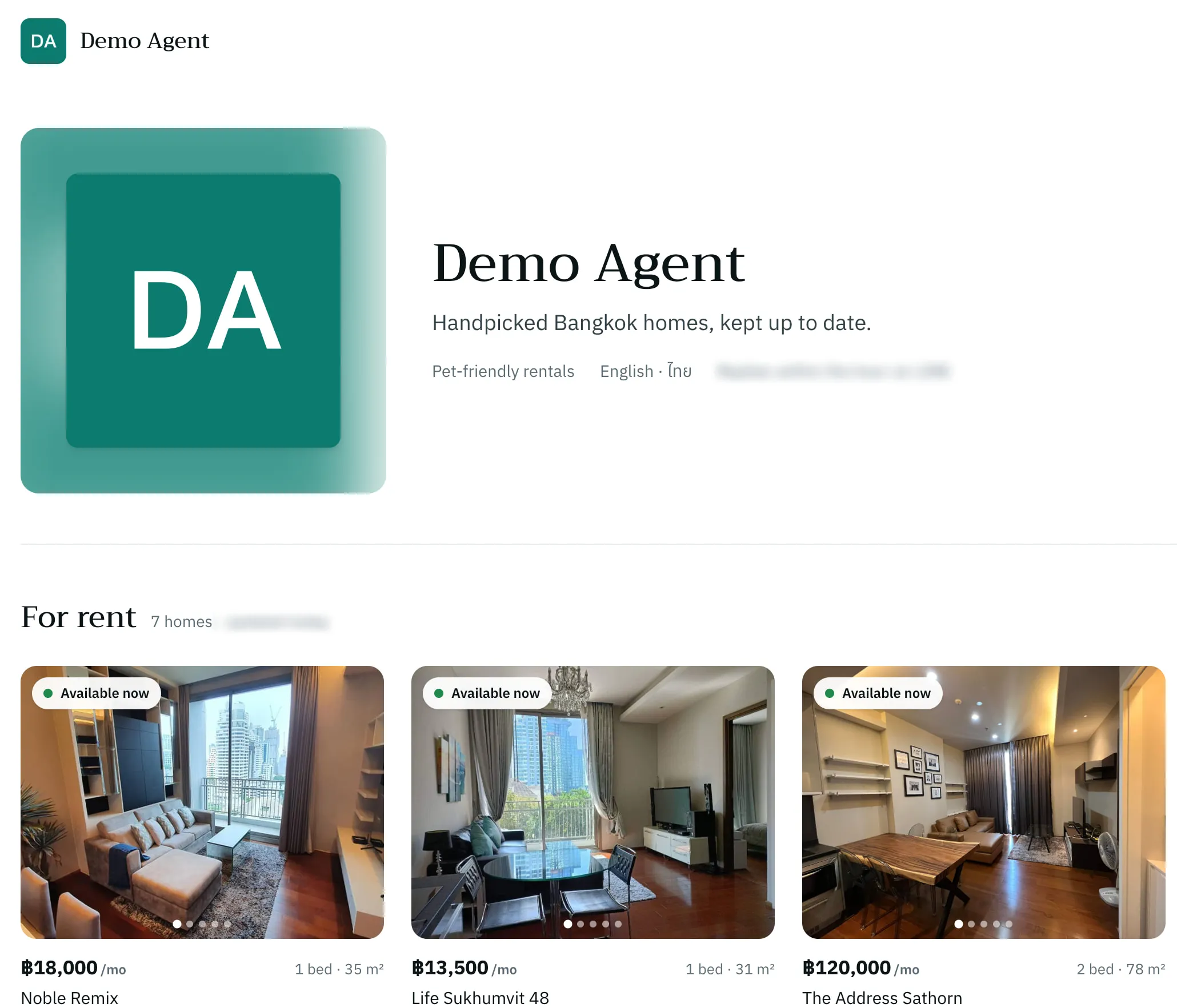
Keep every client, viewing and deal moving.
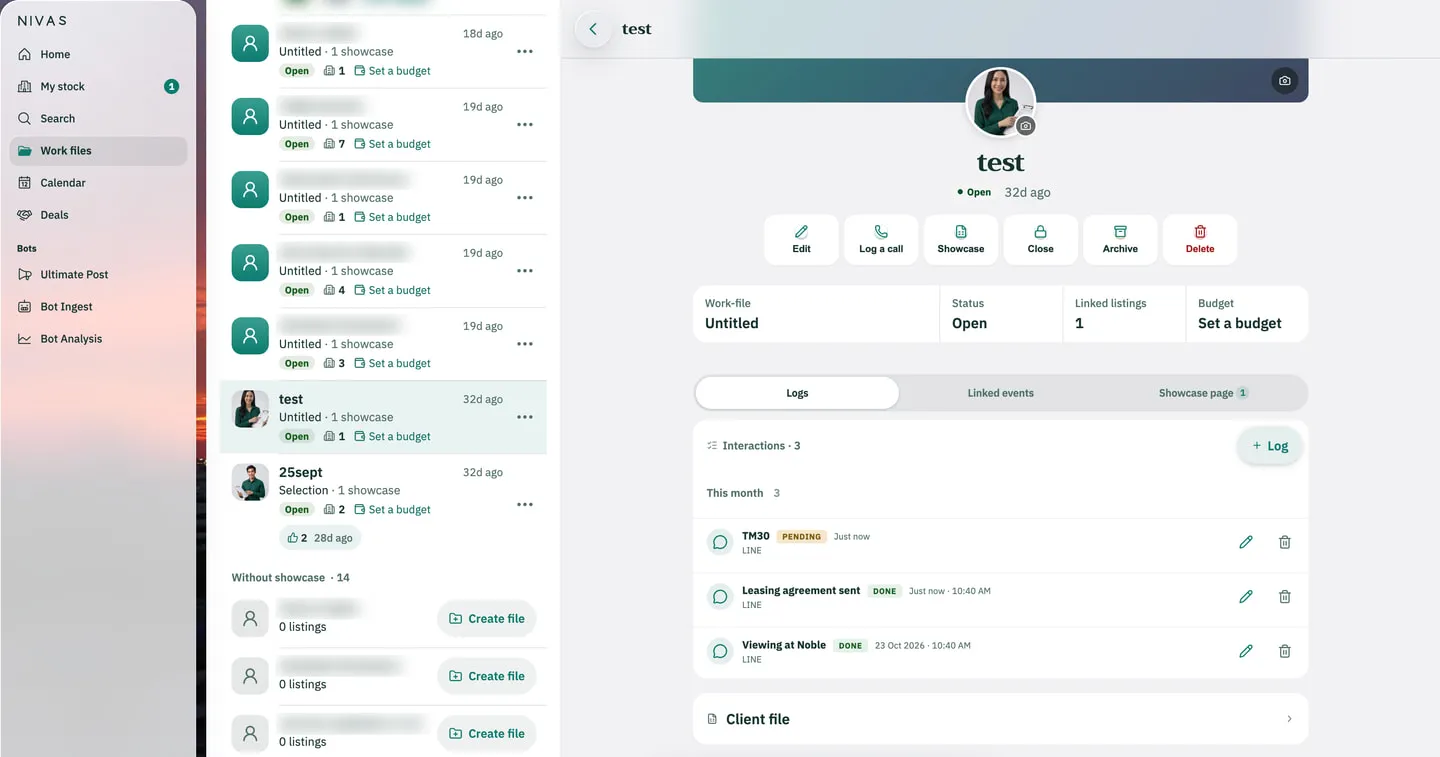
A work file for each client need, the listings you propose, every call and viewing, your Calendar and your own deal pipeline, in the same app where you found the listing.
From a client need to a paid deal
- 01Client needA work file per need
- 02Property selectionLinked listings, or a client list from the Sheet
- 03InteractionCalls, viewings and emails in the file’s Logs
- 04ViewingBooked from your page; confirmed viewings in your Calendar
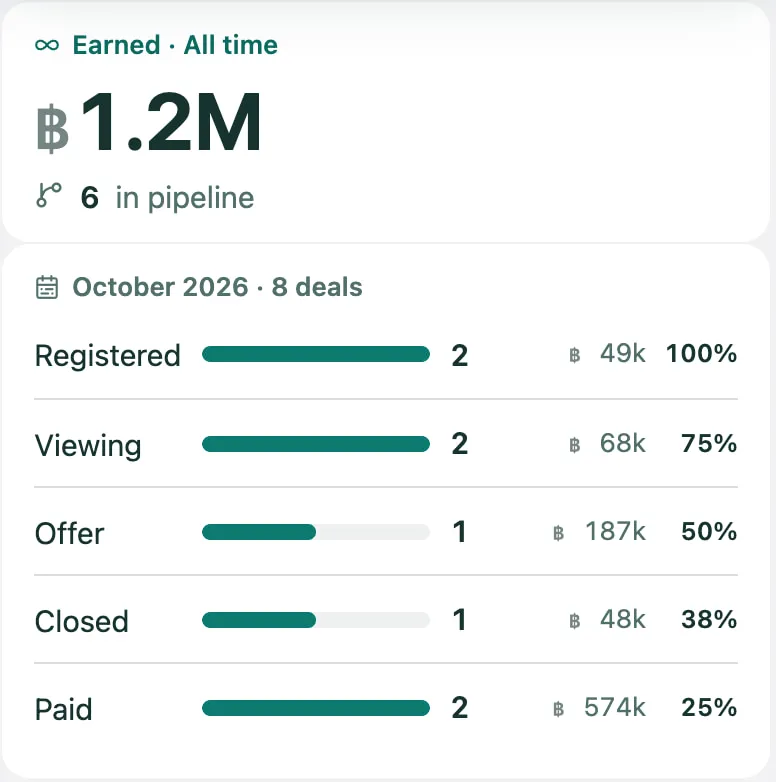
- 05OfferDeals: Registered › Viewing › Offer
- 06ClosedRent due and lease ending in your Calendar, for rent deals
- 07PaidYour share counts in Earned
You move each step yourself; NIVAS keeps the record, the dates and the reminders in the app.
01 – 04 The work file
05 – 07 Deals
Work files
One work file per client need, with its linked listings, its Logs of calls, viewings and emails, and its showcase page.
Calendar
Viewings confirmed from your showcase, deal updates, rent due and lease endings are added for you, with reminders in the app.
Deals and commission
Your own pipeline, Registered › Viewing › Offer › Closed › Paid. Earned counts all time; your share follows your co-broke split.
Client-facing pages
A page for one listing with Book a viewing; clients’ viewing requests arrive in Work files.
Work files and Deals are two separate screens, and each agent’s are private to that agent.
Client & Deal Management in detailBuilt for independent agents and growing teams.
A freelance agent works in NIVAS with an invitation of their own. An agency gets one invitation code, a seat for each agent, and clear lines between what the team shares and what stays private.
One agency, its seats, and clear lines
- Invitation code
- Seats
- Sharing default
- Held listings review
- Campaign oversight
- In the common poolNew listings, by the agency’s sharing default. Any listing can be switched to Private.Several listings at once

- With the teamA calendar entry can be shared with the team, on company accounts.
- Private to each agentWork files and Deals.
Invitation and seats
Each agency or group receives its own invitation code. Seats added by the agency need no invitation code.
What the agency shares
The agency sets whether its new listings are shared in the pool by default, and can apply it to every listing at once. Any listing can still be switched to Private.
Team oversight
The agency manages its seats, reviews held listings, sets its sharing default and oversees its Facebook campaigns.
Several posting accounts Pilot: Live with the founding agency and invited testers. Not self-service yet.
Connect several Facebook posting accounts, each with its own pace. The agency sees every one of its campaigns in Ultimate Post › Active and can Pause, Resume or Stop it.
Team calendar entries
On company accounts, a calendar entry can be shared with the team.
Private where it matters
Each agent’s Work files and Deals stay private to that agent.
Inside the real app.
More real screens across the five pillars. Each one says whether it is the real NIVAS app or its demo workspace.
My stock › Cards
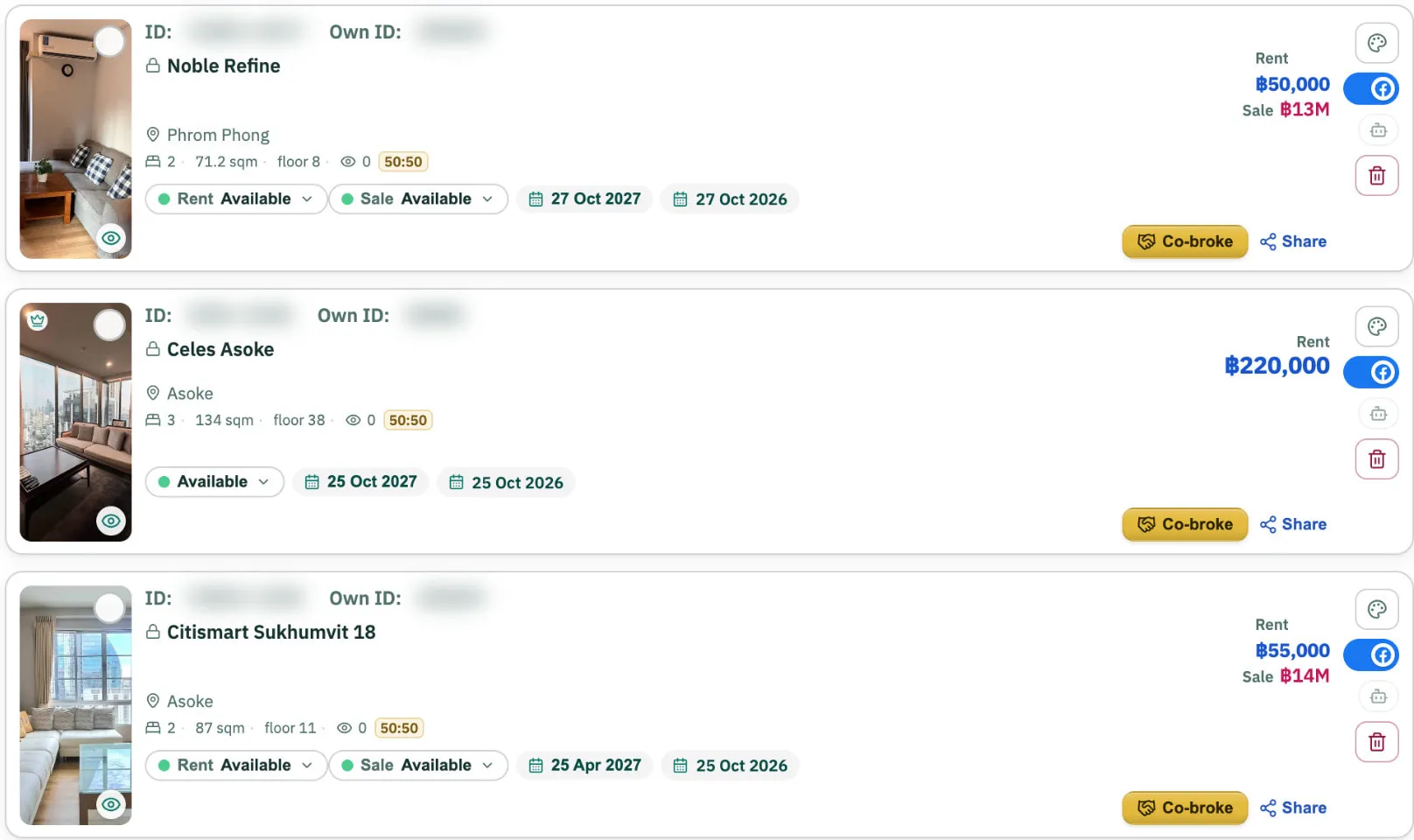
Property Network · your own stock, the same as in the Sheet, as pictures, with its FB mark, Co-broke and Share.
Real app · IDs blurred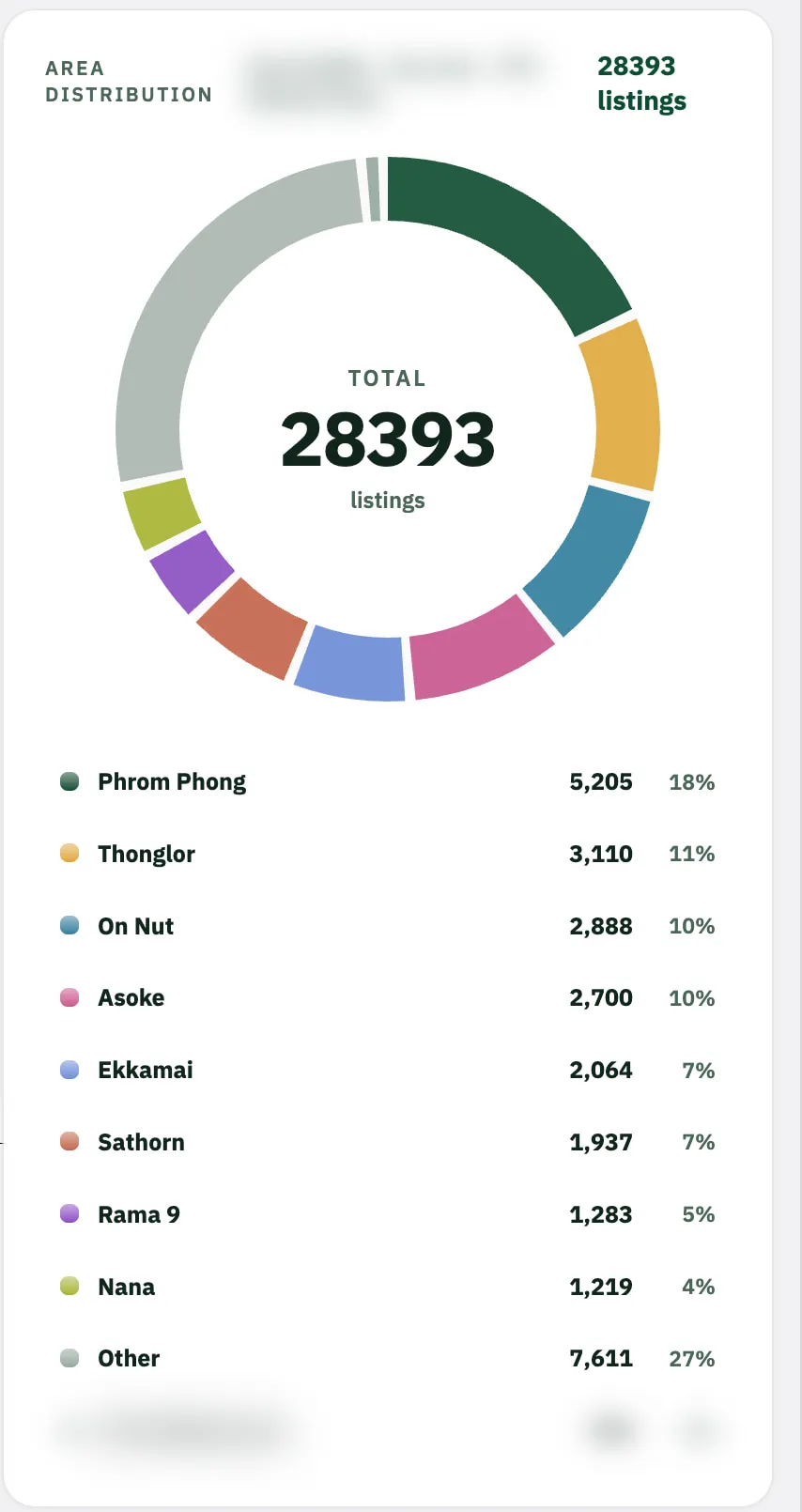
Area distribution
Market Intelligence · where the searched listings are, area by area.
Real app · names blurred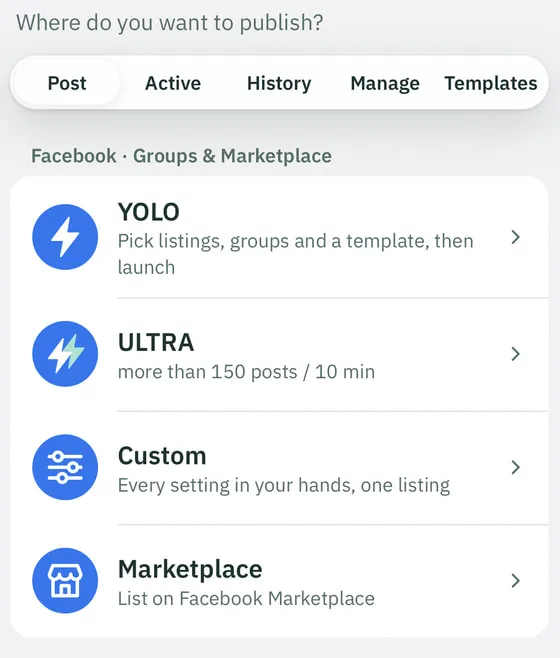
Four ways to postPilot: Live with the founding agency and invited testers. Not self-service yet.
Distribution & Visibility · YOLO, ULTRA, Custom and Marketplace in Ultimate Post.
Real app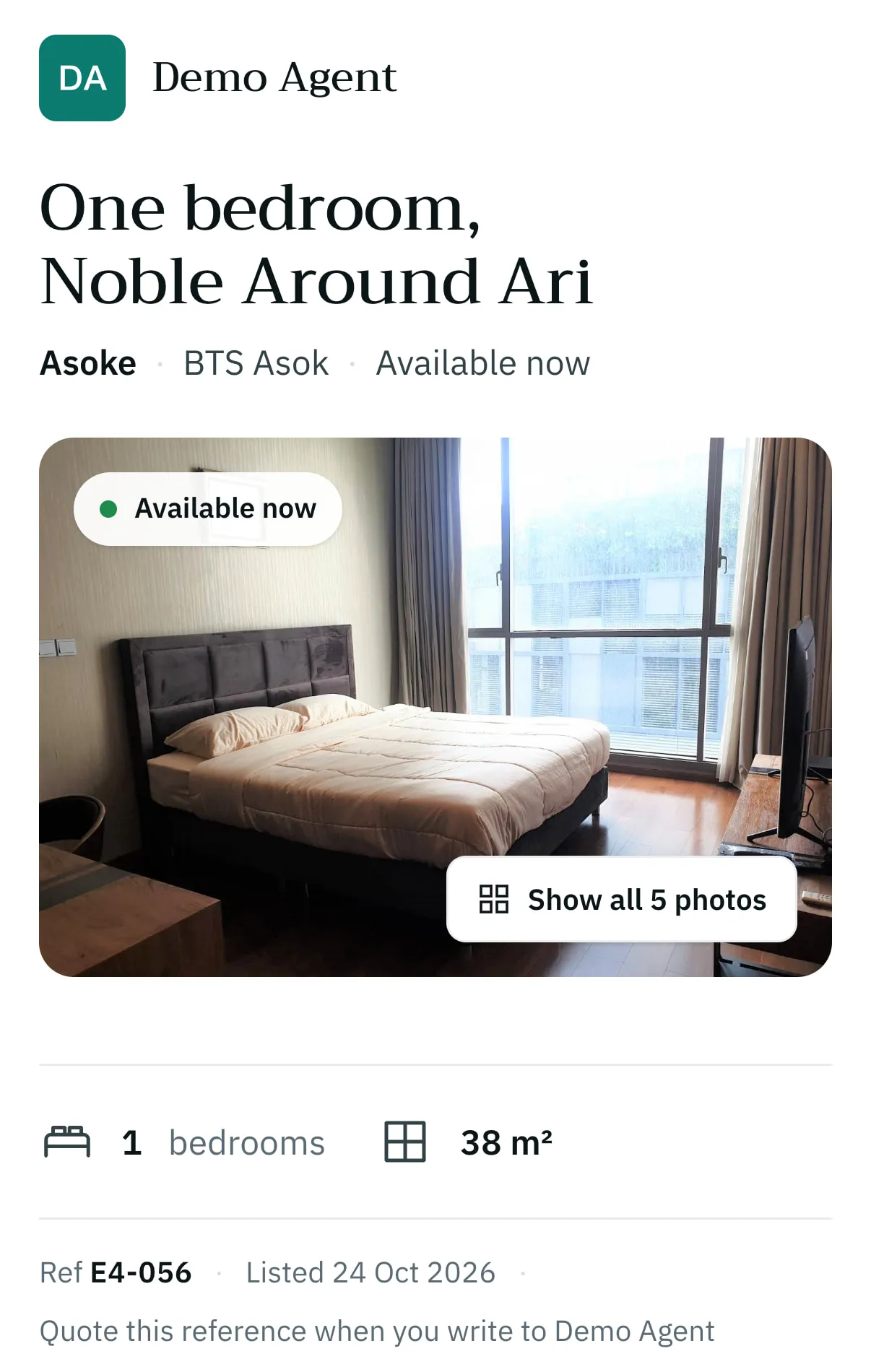
A page for one listing
Client & Deal Management · a client page with your note and Book a viewing.
Demo workspace · sample data- ไทย
- English
- 中文
- 日本語
- မြန်မာ
In your language
Agency Operations · the app works in Thai, English, Chinese, Japanese and Burmese.

Bring your Bangkok real-estate workflow together.
NIVAS is by invitation, for agencies and freelance agents in Bangkok. Tell us how you work and we will get back to you.
- 1You send this request For your agency, or as a freelance agent.
- 2We reply personally To the e-mail address you give.
- 3Your own code Your agency or group receives its own invitation code; the agency then adds its agents as seats.
Learn NIVAS by task.
Start with the written guide to installing the NIVAS Bot on a Mac or a Windows PC. The Tutorials page gathers every guide and video, topic by topic.